Getting started with Estimation Builder takes about a minute — and no credit card.
Create your account
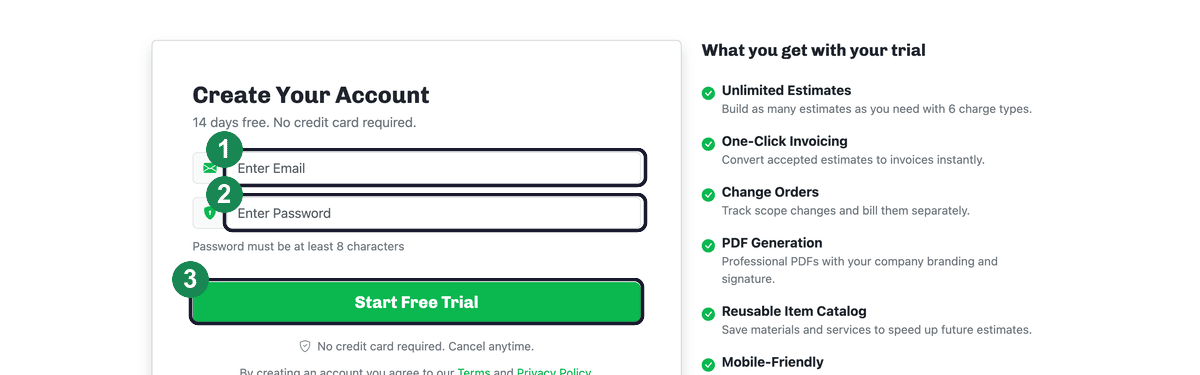
- Go to the signup page and enter your email address.
- Choose a password (at least 8 characters).
- Click Start Free Trial.
What's included in your trial
Your account starts on a 14-day free trial with no credit card required. You get full access the whole time: unlimited estimates with six charge types, one-click invoicing, change orders, branded PDF generation, a reusable item catalog, and mobile-friendly access on any device.
Add a card from your dashboard any time before the trial ends to keep going — there's no charge until the trial is over, and you can cancel anytime.
Next: After signing up, we email you a verification link and walk you through a quick setup. See Activating your account and The setup wizard.