Forgot your password? You can reset it from the login page in a couple of steps.
Request a reset link
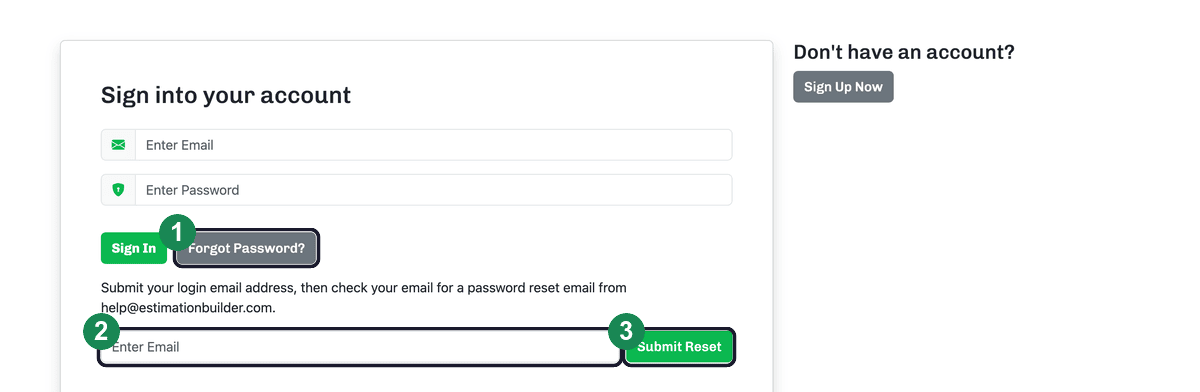
- On the login page, click Forgot Password?.
- Enter the email address on your account.
- Click Submit Reset.
Set a new password
We'll email a password reset link from help@estimationbuilder.com. Open it and click the link to reach the Reset Your Password screen, then:
- Enter a new password (at least 8 characters).
- Re-enter it under Password Confirmation — the two must match.
- Click Reset Your Account Password, then sign in with your new password.
Tip: If the email doesn't arrive within a few minutes, check your spam or junk folder. And if a reset link no longer works, just request a new one from the login page.
Related: Logging in and out.