Estimates have an acceptance deadline — by default, 30 days after you create (or renew) them. If a customer doesn't accept before then, the estimate is marked expired. Renewing gives it a fresh deadline so the customer can still accept it.
Spotting an expired estimate
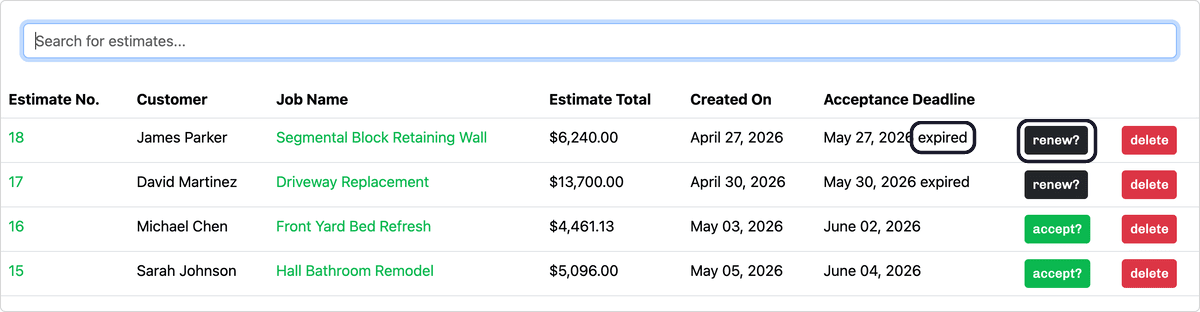
On the Estimates page, an expired estimate is labeled expired next to its acceptance deadline. In place of the usual accept? button, you'll see a renew? button on that estimate's row.
Renewing it
Click renew? on the estimate's row. Estimation Builder resets the acceptance deadline to a fresh window starting today — 30 days by default, or whatever you've set — and the estimate is active again, ready for the customer to accept. Nothing else changes: the line items, totals, and description stay exactly as they were.
Don't see a renew? button on an expired estimate? That action is for active subscribers — if your subscription has lapsed, reactivate it to renew estimates again.