Your item catalog is a reusable list of the work you quote — things like "drywall installation" or "interior painting." Once an item is in your catalog, it shows up in the dropdown whenever you build an estimate, change order, or template, so you're not retyping the same names over and over.
Open your catalog
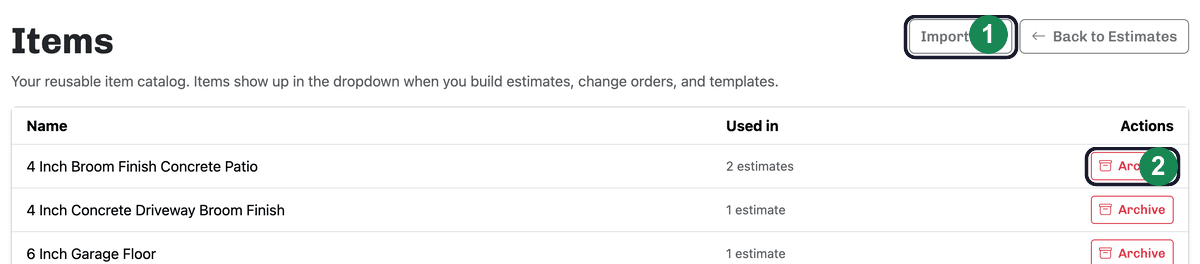
Click Items from your dashboard. The Items page lists your catalog, with a column showing how many estimates each item is Used in.
Add items
You don't create items from a blank form. Instead, you add them right where you use them: while building an estimate, type a new item name into the line-item dropdown and it's saved to your catalog automatically. The full walkthrough is in Adding line items. Already have a list in a spreadsheet? See Importing your items from a spreadsheet.
Rename an item
On the Items page, click an item's name, type the correction, and press Enter (or click away) to save. Renaming updates the catalog going forward.
Archive an item you no longer use
To tidy up your dropdown, click Archive next to an item and confirm. Archiving hides the item from the dropdown but doesn't break anything — any past estimates that used it keep working exactly as before.
Restore an archived item
Archived items aren't gone. On the Items page, click Show archived to see them, then click Restore to bring one back into your active catalog and dropdown. Use Back to active items to return to your main list.